Welcome to PN+
Thank you for subscribing to PN+! As part of your PN+ subscription, you’ll gain access to the entire catalog of PowerNation and PowerBlock shows commercial free.Latest PowerNation Episodes


Watch on Other Devices
You can also use your new PN+ subscription to watch PowerNation on your Roku, Apple TV, or Amazon Fire TV.
Setup Your Roku
(toggle answer)
(toggle answer)
- Open the PowerNation app on your Roku and click on the Settings link in the top menu.
- Click the Sign In button
- Your Roku device will display an Activation Code.
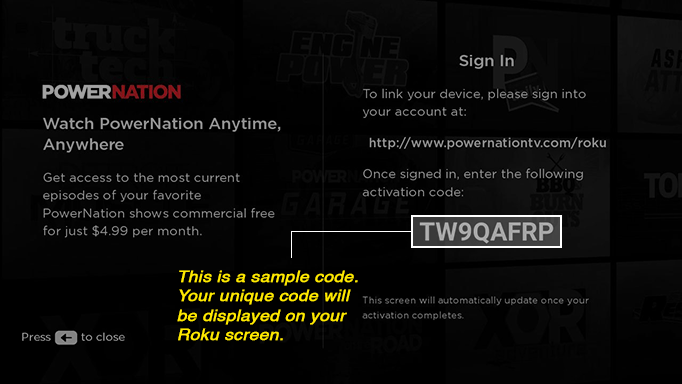
- On your computer or mobile phone, visit https://www.powernationtv.com/roku and log into your account
- Once logged in, enter the Activation Code that is displayed on your Roku device
- After your Activation Code is verified, your Roku device will refresh and your subscription will be linked
Setup Your Apple TV
(toggle answer)
(toggle answer)
- Open the PowerNation app on your Apple TV and click on the Settings link in the top menu.
- Click the Sign In button
- Your Apple TV device will display an Activation Code.
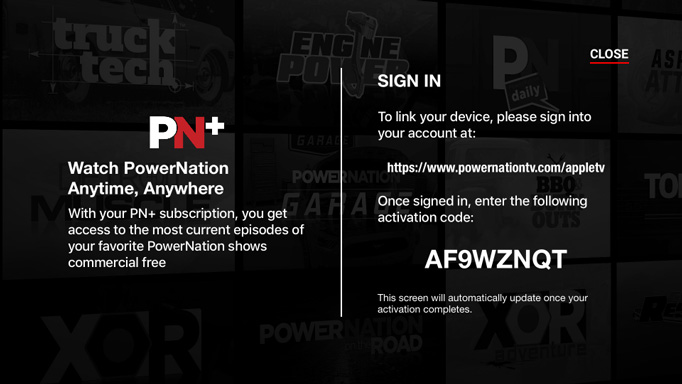
- On your computer or mobile phone, visit https://www.powernationtv.com/appletv and log into your account
- Once logged in, enter the Activation Code that is displayed on your Apple TV device
- After your Activation Code is verified, your Apple TV device will refresh and your subscription will be linked
Setup Your Amazon Fire TV
(toggle answer)
(toggle answer)
- Open the PowerNation app on your Amazon Fire TV and click on the Settings link in the top menu.
- Click the Sign In button
- Your Amazon Fire TV device will display an Activation Code.
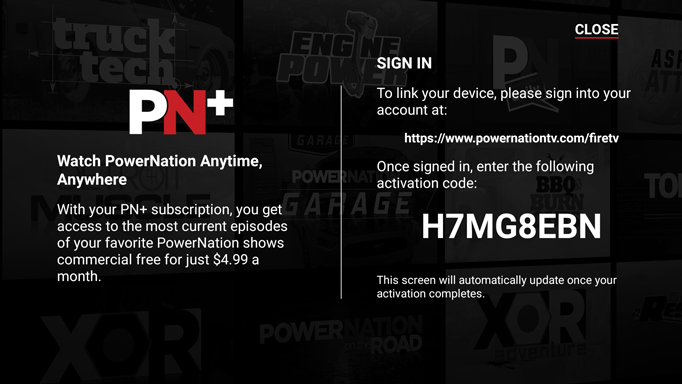
- On your computer or mobile phone, visit https://www.powernationtv.com/firetv and log into your account
- Once logged in, enter the Activation Code that is displayed on your Amazon Fire TV device
- After your Activation Code is verified, your Amazon Fire TV device will refresh and your subscription will be linked